> For the complete documentation index, see [llms.txt](https://clients.medianova.com/llms.txt). Markdown versions of documentation pages are available by appending `.md` to page URLs; this page is available as [Markdown](https://clients.medianova.com/products/performance-cdn/image-optimization-and-webp/image-optimization.md).
# Image Optimization
Transform and optimize JPG, JPEG, and PNG images at the CDN edge using URL-based image processing modules.
Transform and optimize JPG, JPEG, and PNG images at the CDN edge using URL-based image processing modules.
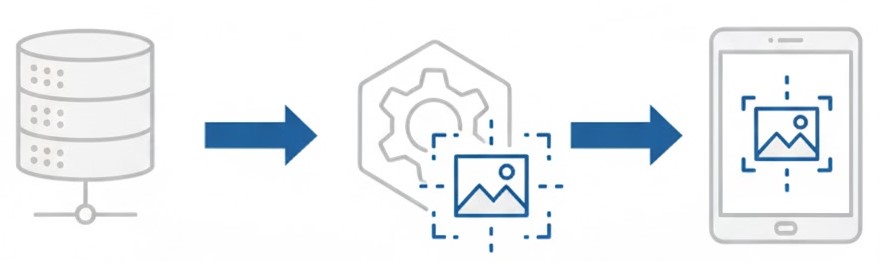
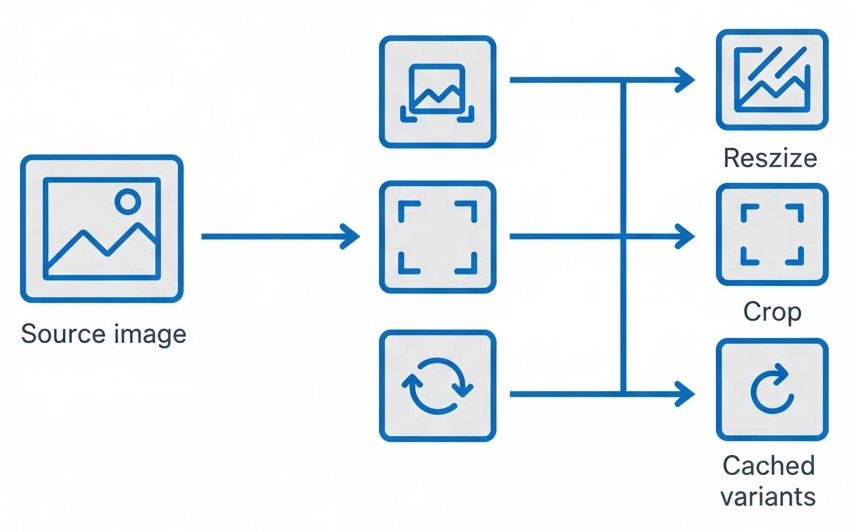
Image Optimization applies transformations to images delivered through Medianova CDN by using processing parameters in the CDN URL. Supported operations include resizing, padding, cropping, rotation, watermarking, and custom cropping.
Image processing occurs at the CDN edge and does not require the source image to be modified or preprocessed at the origin.
{% hint style="info" %}
Each transformed image URL creates a separate cached object. Excessive transformation variations may increase cache fragmentation and storage usage. To remove previously cached variants, purge each transformed URL individually.
{% endhint %}
## Enable Image Optimization
Image Optimization is configured per CDN Resource in the [Medianova Control Panel](https://cloud.medianova.com).
{% stepper %}
{% step %}
### Open Images
Open your CDN Resource and navigate to **Optimization → Images**.
{% endstep %}
{% step %}
### Enable Image Optimization
Enable the **Image Optimization** toggle.
{% endstep %}
{% step %}
### Save the Configuration
Select **Save** in the pending changes bar.
Review the pending configuration changes and confirm the update.
{% endstep %}
{% endstepper %}
## Image Optimization Limits
The following limits apply to source images and transformed image requests:
| Item | Value |
| ------------------ | ------------------------------------------------------ |
| Supported formats | JPG, JPEG, PNG |
| Maximum file size | 100 MB |
| Maximum resolution | 3000 × 3000 px |
| Cache behavior | Each transformed URL creates a separate cached object. |
The 3000 × 3000 px resolution limit applies to `mnresize`, `mncrop`, `mncropresize`, `mnpadding`, and `mncustomcrop`.
Requests that exceed the applicable file size or resolution limit return `415 Unsupported Media Type`.
## URL Structure
Image Optimization modules use the following URL structure:
```
https://.mncdn.com////.
```
Replace:
* `` with your Medianova CDN account name.
* `` with the Image Optimization module.
* `` with the parameters required by the selected module.
* `` with the image path, if applicable.
* `` with the source image name.
* `` with the supported source image extension.
For example:
```
Origin: https://www.example.com/path/image.jpg
Transformed: https://.mncdn.com/mnresize/400/300/path/image.jpg
```
To verify a transformation, open the transformed CDN URL in a browser.
{% hint style="info" %}
Image requests may fail when applicable format, file size, or resolution requirements are not met. See Image Optimization Troubleshooting for details.
{% endhint %}
## **Image Optimization Modules Reference**
Each Image Optimization module operates independently and uses its own parameter structure.\
Select the module that matches the transformation you need.
### MNRESIZE
Resize an image while preserving its original aspect ratio.\
Either width or height may be set to `-` to auto-calculate the other dimension.
#### Syntax
```
https://{account}.mncdn.com/mnresize/{width}/{height}/{path}/{image}.{ext}
```
#### Parameters
Parameter
Description
width
Target width; use - for auto-calculated width
height
Target height; use - for auto-calculated height
path
(Optional) Folder path
ext
jpg, png
#### Examples
* `.../mnresize/400/225/image.jpg`
* `.../mnresize/-/300/image.jpg`
* `.../mnresize/400/-/image.jpg`
### MNPADDING
Add uniform padding around an image using a HEX color.
#### Syntax
```
https://{account}.mncdn.com/mnpadding/{width}/{height}/{hex_color}/{path}/{image}.{ext}
```
#### Example
`.../mnpadding/400/125/C0C0C0/image.jpg`
### MNCROP
Crop the image to the target dimensions by centering the original image.
#### Syntax
```
https://{account}.mncdn.com/mncrop/{width}/{height}/{path}/{image}.{ext}
```
### MNCROPRESIZE
Resize and crop the image in one step to produce exact output dimensions without distortion.
#### Syntax
```
https://{account}.mncdn.com/mncropresize/{width}/{height}/{path}/{image}.{ext}
```
### MNROTATE
Rotate an image by 90, 180, or 270 degrees.
#### Syntax
```
https://{account}.mncdn.com/mnrotate/{angle}/{path}/{image}.{ext}
```
{% hint style="info" %}
MNROTATE cannot be combined with other modules.\
Supported angles: `90`, `180`, `270`.
{% endhint %}
### MNWATERMARK
Apply a custom watermark to all images served through the CDN.
#### Notes
* Watermarking must be enabled by Medianova Support.
* Newly served images receive the watermark automatically.
* Purge existing cache entries to apply the watermark to previously cached images.
* Transparent PNG watermarks are supported.
{% hint style="info" %}
Watermarked images cannot be rotated or cropped using other modules.
{% endhint %}
### MNCUSTOMCROP
Crop a specific region using pixel coordinates.\
Coordinates (`x`, `y`) represent the top-left point of the crop area.
#### Syntax
```
https://{account}.mncdn.com/mncustomcrop/{width}/{height}/{x}/{y}/{path}/{image}.{ext}
```
#### Example
`.../mncustomcrop/800/1200/430/200/image.jpg`
{% hint style="info" %}
For automatic WebP conversion, see [WebP Optimization](/products/performance-cdn/image-optimization-and-webp/webp.md).
{% endhint %}
---
# Agent Instructions
This documentation is published with GitBook. GitBook is the documentation platform designed so that both humans and AI agents can read, navigate, and reason over technical content effectively. Learn more at gitbook.com.
## Querying This Documentation
If you need additional information that is not directly available in this page, you can query the documentation by asking a question.
Perform an HTTP GET request on the following URL with the `ask` and `goal` query parameters:
```
GET https://clients.medianova.com/products/performance-cdn/image-optimization-and-webp/image-optimization.md?ask=&goal=
```
`ask` is the immediate question: it should be specific, self-contained, and written in natural language.
`goal` is what the user is ultimately trying to achieve, the reason they need the answer. Sharing it helps GitBook give you a better, more relevant answer. A goal is most helpful when it describes the outcome the user wants rather than restating the question. For example, with `ask=how do I create an API token`, a goal like `automate deployments from our CI pipeline` lets GitBook tailor the answer to that use case.
The response will contain a direct answer to the question and relevant excerpts and sources from the documentation.
Use this mechanism when the answer is not explicitly present in the current page, you need clarification or additional context, or you want to retrieve related documentation sections.